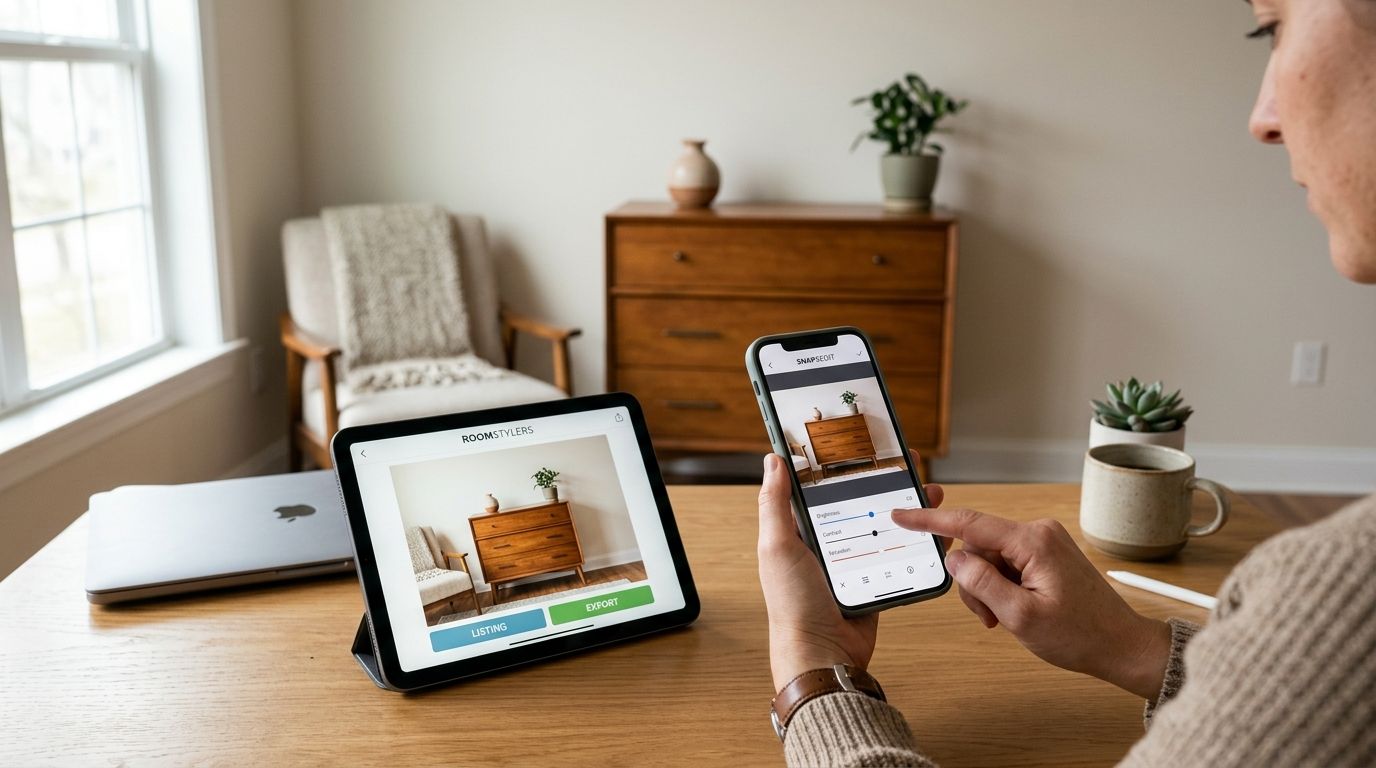
Furniture resale photos live or die in the first three seconds of a marketplace scroll, and the editing app you pick determines whether your listing gets a click or gets buried. Best overall: Snapseed. Best for color-true wood and fabric tones: Adobe Lightroom Mobile. Best budget option: Google Photos.
TL;DR
A blurry, dim, or color-off photo of a sectional sofa gets scrolled past even if the price and condition are solid. Buyers on Facebook Marketplace and OfferUp decide in seconds, and most furniture flippers lose sales not on price but on presentation.
If you're picking up returned mattresses, dressers, or fitness equipment through Sharetown and reselling locally, your phone's camera roll is your storefront. The right editing app shrinks the gap between "decent photo" and "sold in 24 hours," and it does it in under a minute per shot — you don't need a laptop or a subscription to get there in 2026.
Snapseed
Adobe Lightroom Mobile
TouchRetouch
Canva
VSCO
Google Photos
Snapseed handles crop, straighten, exposure, color correction, and spot healing in one free app, which covers almost every fix a furniture photo needs before it goes live. It's built by Google, runs on iOS and Android, and doesn't add a watermark to exported images.
Snapseed pros:
Snapseed pricing: free.
Snapseed cons:
Best for: reps who want one app that does everything without paying for it. Verdict: Buy.
Lightroom Mobile's white balance and selective color tools are built for the exact problem furniture resellers run into: a phone camera that renders oak as orange or gray upholstery as blue. It's the same color engine Adobe uses in its desktop software, scaled down for a phone screen.
Lightroom Mobile pros:
Lightroom Mobile pricing: free tier available with paid plans for extra features.
Lightroom Mobile cons:
Best for: listings where color accuracy decides the sale, think stained wood dressers and colored sectionals. Verdict: Buy.
TouchRetouch does one thing: it erases objects from a photo with a tap and a swipe. For furniture reps shooting in a driveway with a trash can in frame or a garage with tools scattered around, that's the single most useful trick in this list.
TouchRetouch pros:
TouchRetouch pricing: one-time purchase, no subscription.
TouchRetouch cons:
Best for: reps who don't have a staged, clean shooting area. Verdict: Buy as a companion app.
Canva lets you combine four or five angles of the same piece — front, side, close-up of the finish, close-up of any wear — into one clean grid image, which is useful on platforms that limit how many separate photos you can upload.
Canva pros:
Canva pricing: free tier available; paid plans unlock more templates.
Canva cons:
Best for: reps building a recognizable, repeat-buyer storefront. Verdict: Hold — use it for your best pieces, not every listing.
VSCO's saved presets let you apply the same look to every photo you post, which builds a recognizable feed if you're reselling regularly on Instagram or Marketplace under one seller profile.
VSCO pros:
VSCO pricing: free tier with a paid membership for the full preset library.
VSCO cons:
Best for: reps running a consistent brand across many listings at once. Verdict: Hold — pair it with a color-accurate app, don't rely on it alone.
Google Photos is already on most Android phones and syncs automatically, and its built-in editor covers crop, brightness, and contrast without a separate download.
Google Photos pros:
Google Photos pricing: free.
Google Photos cons:
Best for: reps who need a fast fix and nothing more. Verdict: Buy for quick jobs, upgrade for anything color-sensitive.
Each app is scored against the six criteria above: color accuracy, clutter removal, export speed, batch capability, cost, and mobile usability. Apps that require a desktop or a subscription just to unlock basic crop and color tools drop lower on this list, because a furniture resale side hustle runs on margin, not overhead.
Start with Snapseed if you're editing your first batch of furniture photos in 2026 — it's free, fast, and covers 90% of what a listing needs. Add TouchRetouch once you're shooting in less-than-perfect spaces, and move to Lightroom Mobile when color accuracy on stained wood or upholstery starts affecting how many messages a listing gets. Google Photos is fine as a stopgap, but it won't fix the problems that actually cost sales.
Getting the photo right is only half the listing. Pair it with how you write listings that sell furniture fast and the technique behind how to photograph furniture for fast online sales before you post.
Turn better photos into paid pickups
Sharetown reps pick up, clean, and resell returned furniture locally.
What's the best free photo editing app for furniture listings?
Snapseed is the best free option in 2026 because it includes crop, color correction, and spot healing without a watermark or paywall. Google Photos works as a lighter free backup for simple brighten-and-crop edits.
Do I need Photoshop to sell furniture online?
No. Photoshop is built for desktop design work, and a mobile app like Snapseed or Adobe Lightroom Mobile covers everything a furniture listing photo needs. Save Photoshop-level editing for branded collage work in Canva instead.
What photo size should I use for marketplace furniture listings?
Most marketplace apps display images best at a square or 4:5 ratio, and images should be at least 1080 pixels wide to avoid looking blurry on a phone screen. Every app on this list exports at that resolution by default.
How many photos should a furniture listing have?
Most marketplace platforms cap listings around 8-10 photos, so use that full allowance: one wide shot, one close-up of the finish, and one shot of any wear or damage. Skipping the damage shot is the fastest way to get a message asking "is this actually in good condition?"
Can I remove a stain or scratch from a furniture photo without misleading buyers?
Remove background clutter, not condition flaws — TouchRetouch is meant for trash cans and tools in frame, not for hiding a scratch on the item itself. Editing out real wear on the piece you're selling creates disputes at pickup.
Is VSCO good for reselling furniture?
VSCO works well for a consistent look across a full inventory of listings, but its filters can shift actual upholstery or wood color if applied too heavily. Pair it with a color-accurate app like Lightroom Mobile for anything where true color matters.
How long should editing take per furniture listing photo?
With Snapseed or Google Photos, a single photo edit takes under a minute once you know the app's layout. Batch presets in Lightroom Mobile or VSCO cut that time further across a full set of listings.
What's the biggest photo mistake furniture sellers make?
Shooting in dim, mixed lighting and skipping color correction, which makes wood tones and fabric colors look nothing like the real item. That mismatch is a leading cause of buyer complaints and no-shows at pickup.
Turn off auto-enhance and beauty-style filters before you export — several of these apps apply an aggressive default that oversaturates color, and an oversaturated photo of a gray sectional that shows up looking blue at pickup is how you lose a sale after the buyer already drove over. A flat, accurate edit beats a flashy one every time in furniture resale.